
FigBoost Massive Icon Studio
Thousands of icons. Finished your way.
Overview
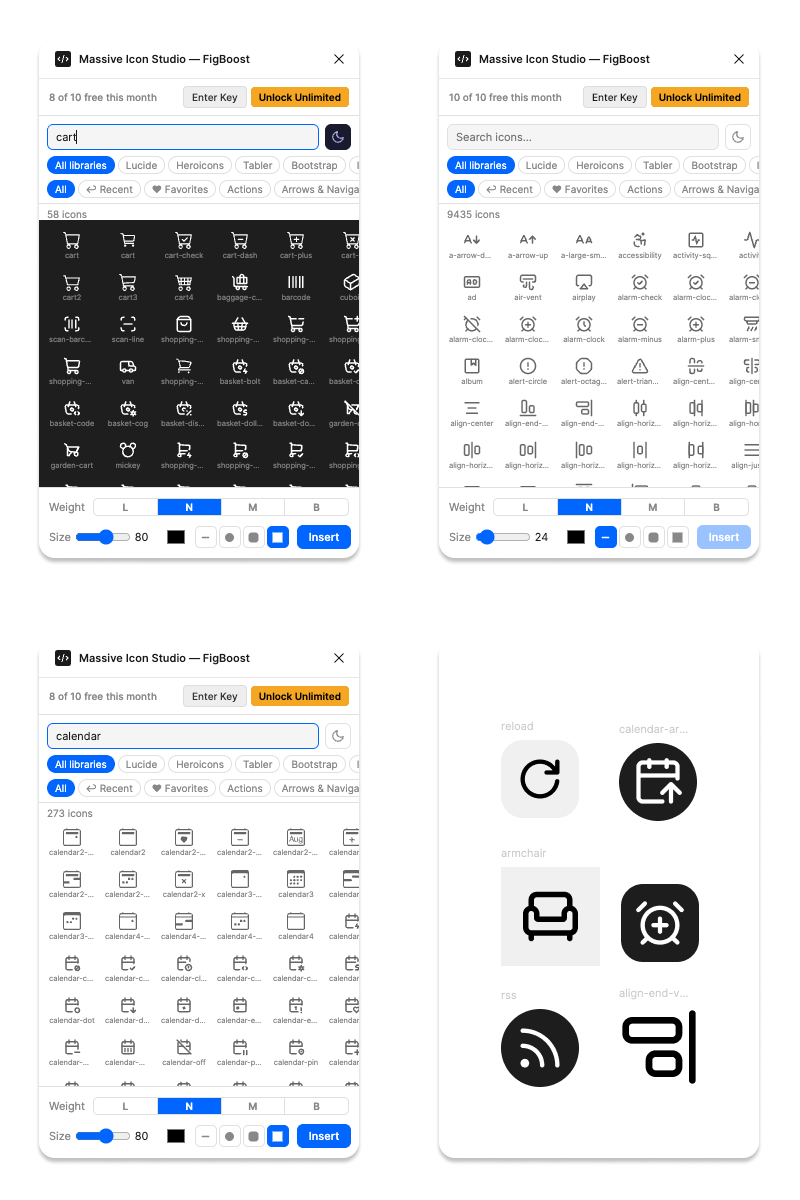
Most icon plugins hand you a raw shape and leave the styling to you. Massive Icon Studio is a finishing tool: search 9,000+ icons across 5 major libraries, then style the result on the way in — pick a stroke weight, size, and color, wrap it in a circle, squircle, or square container with automatic light/dark backgrounds, and it lands on canvas ready to use, not something you still have to clean up.
Everything is built for repeat use: favorites for the icons you reach for constantly, a Recently Used tab so you're never re-searching for the same glyph twice, live dark-canvas preview so you can check contrast before you commit, and a one-click "copy SVG" for anywhere outside Figma. It's the difference between an icon browser and an icon workflow.
- 9,000+ icons across 5 libraries — Lucide, Heroicons, Tabler, Bootstrap, Ionicons — with outline/solid style switching wherever a library offers both
- Natural-language search: type "delete" or "email" and find trash, x, mail, envelope, inbox — not just exact icon names
- Category and library filters to browse fast
- 4 stroke weights (Light, Normal, Medium, Bold) applied on insert — automatically disabled for solid/fill-style icons that don't use strokes
- Size control from 12px to 128px
- One-click color picker — icon is tinted before it hits the canvas
- Optional container shapes (circle, squircle, square) with automatic light/dark background
- Live dark-background preview so you can check contrast before inserting
- Favorites and Recently Used for your go-to icons
- Copy raw SVG to clipboard for use outside Figma
- Clean, fast, focused UI that stays out of your way
Made with our Quick Animated Gif plugin,
in about 2 seconds!!!!
Pricing
-
Free: 10 exports/month
-
Pro: $19.99/Year